


CodyCross: Crossword Puzzles
4.731.06K Reviews
App Specs
- Version
- 2.12.4
- Updated On
- License
- Free
- Downloads
- 100,000,000+
- Developer
- Fanatee, Inc.
- Categories
- Word
- Platform
- Android, iOS
Screenshots

 Analysis by AppCompare
I tend to enjoy word games most when they give me a reason to think without turning a spare moment into a test. CodyCross: Crossword Puzzles has that relaxed, clue-by-clue appeal: it is a crossword game with themed trivia, rather than a plain grid copied from a newspaper. I can pick it up for a short break, work through a few answers, and stop when I need to. That makes it an easy fit for casual play, though it will not suit everyone looking for a strict, traditional crossword challenge.
A crossword game with a guided journey
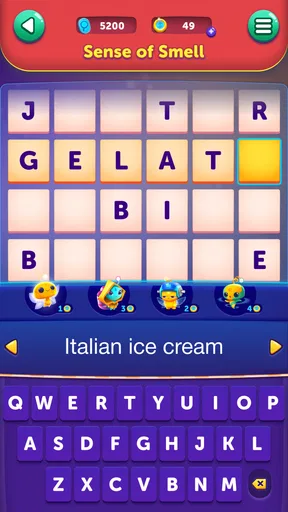
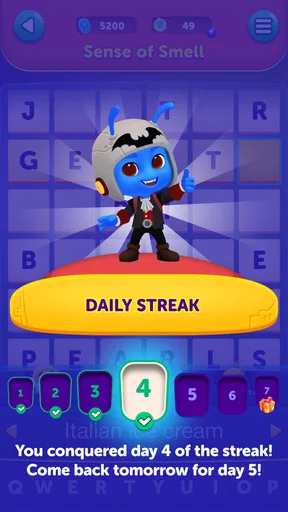
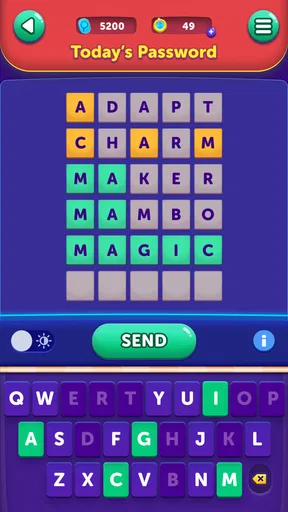
Fanatee, Inc. develops the game, and its presentation gives the puzzles a sense of place. A friendly alien named Cody introduces the journey through themed worlds, while each puzzle asks me to use clues and crossing letters to fill a grid. The horizontal scrolling layout also changes how I scan the board: instead of seeing a whole static page at once, I move across the puzzle as I work. It feels more like a guided mobile game than a newspaper crossword transferred onto a phone.
The themes help break up the routine, but they also shape the challenge. The clues draw on different kinds of general knowledge, so familiarity with one topic can make a section feel smooth while another may slow me down. I would not treat every wrong answer as a vocabulary failure; sometimes the sticking point is simply not knowing the reference. If I enjoy learning scattered facts as I solve, that mix is part of the appeal. If I want every clue to test wordplay alone, a conventional crossword app may be a better match.
Guides and Analysis on CodyCross: Crossword Puzzles
What progress feels like in practice
The game is free to download and is rated for Everyone. It launched on April 5, 2017, and version 2.7.0 is listed for devices running Android 7.0 or later. Its scale is substantial, with over 100 million installs, a 4.7 average rating, around 1.5 million ratings, and roughly 31,000 written reviews. Those figures suggest broad reach, but they do not tell me whether its clue style will suit my tastes; trying a few puzzles is a better test.
Progress works best for me when I treat it as a small routine, not a race. For example, I might open a puzzle while waiting for a kettle to boil, solve the clues I know, then use the crossing letters to narrow down the tougher entries. That approach turns partial answers into useful context and keeps a difficult clue from blocking the whole session. I can also stop mid-session without needing to finish a long timed round, which makes the game a practical choice for short breaks.
Hints, spending, and a fair way to play
There are in-app purchases, priced from $0.99 to $84.99 per item. That range is worth noticing before spending, especially if the game becomes part of a daily habit. I recommend deciding in advance whether I am happy to solve at my own pace or whether I would pay to get past a stubborn clue. For a fair comparison, the confirmed purchase facts tell me that optional items are sold, but they do not establish exactly what each purchase contains or how much a particular item changes progress. I would check the in-game purchase details carefully rather than assume that spending is necessary—or that it provides a competitive advantage.
The original appeal here is personal progress through word puzzles, not a contest where I need to outspend another player. Social comparison can add motivation if I enjoy sharing achievements, but it may also distract from the calm puzzle-solving that makes the game attractive. My practical tip is to use crossings first, take a break when a clue stops being fun, and only consider a hint or purchase after deciding that the answer matters more to me than solving it unaided. That keeps the experience on my terms.
Worth Reading Before You Choose

Baby Panda World Brings Quick Play to Modern Phones, but Its Game Library Feels Busy

ESPN’s Live Game View Makes Following Close Games Easier

QuizzLand Review: A Good Fit for Short Trivia Breaks, Not Every Player

Basketball Stars: Multiplayer Is Fast, but Can It Recover When Matches Go Wrong?

WEBTOON Turns Phone Updates Into a Better Reading Routine

Link to Windows Runs on Shared Habits, Not Social Feeds
Who will enjoy it, and who may prefer another puzzle
I would recommend it to players who like themed word challenges, appreciate a gentle sense of progression, and want a game that can fit between everyday tasks. It is also a reasonable choice for someone who enjoys trivia alongside crossword solving, because subject knowledge can help as much as vocabulary. The Everyone age rating makes it broadly accessible, though a parent should still decide what is suitable for a particular child and review any purchase choices together.
I would steer a crossword purist toward a more traditional option if they want a compact, fully visible grid, a strong emphasis on wordplay, or the feel of solving a printed puzzle. Someone who dislikes themed progression, prefers a completely uninterrupted offline pastime, or finds optional spending prompts frustrating may also be happier elsewhere. Compared with a basic crossword app, CodyCross adds a character-led journey and changing topics; compared with a pure trivia quiz, it asks me to use letter patterns and crossings rather than simply choose an answer. That hybrid is its clearest strength, but it is also the reason it will not be everyone’s first choice.
Useful habits for getting unstuck
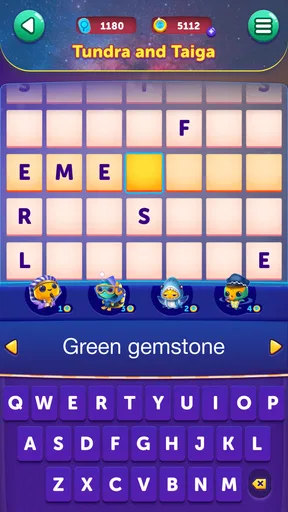
When I hit a hard clue, I avoid guessing at random. I fill the answers I know first, then return to the uncertain entry and use its crossing letters to eliminate possibilities. This is more reliable than staring at one clue in isolation, particularly when the theme gives me a clue about the kind of answer to expect. I also try to separate “I don’t know this fact” from “I can’t find the word”: the first may call for a hint or a pause, while the second often becomes easier once the grid has more letters.
Another useful habit is to set a stopping point before a session turns into a grind. If I have only a few minutes, I solve what I can and leave the rest for later rather than spending just to force a quick finish. If I have more time, I can treat an unfamiliar topic as part of the puzzle instead of a reason to rush. This small choice helps keep optional purchases from becoming an automatic response to every difficult clue.
What to expect before installing
The game is a stronger fit for flexible, bite-sized play than for a single long, uninterrupted solving session. Its visual journey and changing themes give me variety, while the crossword format still rewards careful reading and patience. Because clues can depend on broad subject knowledge, difficulty may feel uneven from one topic to the next; that is a genuine trade-off rather than a flaw that every player will experience in the same way. If I want to test whether the clue mix works for me, I can begin with the free download and decide after a few puzzles whether I want to keep playing.
One question people often have is whether they need to pay to enjoy it. The game is free, while optional in-app purchases range from $0.99 to $84.99 per item; I would not infer from that alone that payment is required to make progress. Another practical question is whether this is a good first crossword game. I think it can be, especially for someone who likes prompts and themes, although a player who wants to learn classic crossword conventions may benefit more from a traditional grid-based app. It is also worth checking that a device meets the Android 7.0 minimum before downloading on Android.
Getting Started with CodyCross
First off, let me tell you how easy it is to dive into CodyCross. The download process is a breeze, and once you open the app, you're greeted by a friendly little alien named Cody. He's your guide through the game, and honestly, he’s quite endearing. The game sets you off on a journey through time and space, with each level representing a different world full of themes and topics. It's like a trivia adventure but wrapped in a crossword format.
Game Mechanics and Features
The gameplay is straightforward yet addictive. You're given a series of clues, and your task is to fill in the crossword grid. What's interesting is the way the game incorporates a horizontal scrolling mechanism. It’s a refreshing twist compared to traditional crosswords where you’re typically confined to a static page.
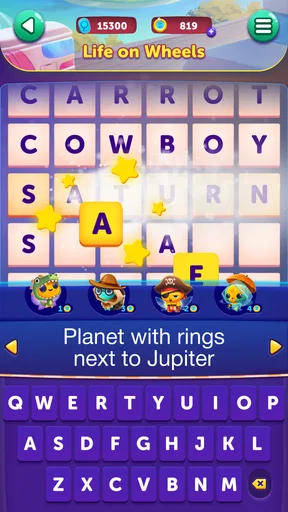
Another thing that I absolutely love is the varied themes. Each world you pass through offers something new—a different trivia category, unique graphics, and a fresh set of challenges. And let’s not forget the soothing background music; it’s like the cherry on top, providing a relaxing atmosphere as you play.
Why You’ll Keep Coming Back
So, what keeps the game interesting? It's the combination of learning and fun. I found myself not just solving puzzles, but also picking up new facts along the way. Plus, the game updates regularly with new levels, so there’s always something to look forward to. If you're someone who thrives on challenges, the increasing difficulty will keep you hooked. And trust me, the sense of accomplishment when you complete a particularly tough level is immensely satisfying.
Social Features and Connectivity
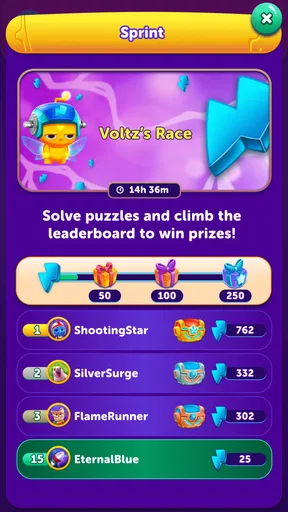
One of the features I find particularly engaging is the social aspect. CodyCross allows you to connect with friends, compare scores, and even share your achievements. It adds a competitive edge if you’re into that sort of thing. Plus, it's a great way to challenge friends and see who can climb the ranks faster.
In-App Purchases and Ads
Now, let's talk about the elephant in the room—ads and in-app purchases. Like most free games, CodyCross does have ads, but they're not intrusive. You can choose to remove them with a purchase if they really bother you. As for in-app purchases, they’re mainly for hints and additional content. But honestly, unless you’re in a rush or stuck, the game is quite generous with hints and coins as you progress.
Final Thoughts
In conclusion, CodyCross: Crossword Puzzles is a fantastic app for anyone who enjoys puzzles, trivia, and a bit of a challenge. It’s user-friendly, visually appealing, and educational to boot. Whether you’re a crossword veteran or a newbie looking for a fun way to pass the time, CodyCross is definitely worth a download. Give it a try, and you might just find yourself becoming a crossword aficionado!
Pros
- Engaging and challenging puzzles.
- Regular updates with new content.
- Visually appealing design.
- Educational and informative.
- Offline mode available.
Cons
- In-app purchases can be expensive.
- Ads can be intrusive at times.
- Limited free levels.
- Requires internet for updates.
- May drain battery quickly.
FAQs for CodyCross: Crossword Puzzles
What is CodyCross: Crossword Puzzles?
CodyCross: Crossword Puzzles is an engaging word puzzle game available for both Android and iOS devices. It combines traditional crossword puzzle mechanics with a unique twist, offering themed puzzles that challenge your vocabulary and problem-solving skills. The game features a friendly alien character, Cody, who guides you through various themed worlds and levels.
Is CodyCross free to play?
CodyCross is free to download and play, but it includes in-app purchases. These purchases can help you unlock additional features, such as new puzzle packs or hints. While the core game is accessible without spending money, some players might find the optional purchases useful for enhancing their gaming experience.
What are the main features of CodyCross?
CodyCross offers a variety of features, including thousands of crossword puzzles across different themes and levels. Players can enjoy daily puzzle challenges, earn achievements, and compete on leaderboards. The game is designed with a user-friendly interface and provides hints to assist players in solving difficult puzzles, making it suitable for all skill levels.
Can I play CodyCross offline?
Yes, CodyCross allows you to play offline once you have downloaded the puzzles. This feature is particularly useful for players who want to enjoy the game without a constant internet connection. However, to access new content, updates, or leaderboards, an internet connection is required.
How does CodyCross handle difficulty levels?
CodyCross caters to a wide range of players by offering puzzles that vary in difficulty. The game starts with easier puzzles and progressively increases in complexity as you advance through the levels. This gradual increase ensures that both beginners and seasoned crossword enthusiasts find the game challenging and enjoyable.


